
IFTTT: A Digital Secretary for Physical Educators

I have recently invested some time in learning about an Internet service called If This Then That (IFTTT). IFTTT is an automation system that links different internet services together. For example, when you write a reminder in the reminder app, IFTTT can automatically put the reminder in your Google calendar. This is called a IFTTT recipe.
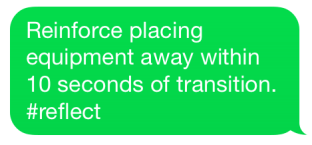 If you’ve read any of my other blogs on systematic observation you know I believe that reflection is a pivotal part of self-improvement as an educator. However, I do find that it is difficult to find time to reflect. Using IFTTT I have found a way to do simple reflections during class or directly after by combing the use of iMessages and Evernote. I searched through different recipes IFTTT had to offer and found one that allows you to archive iMessages directly to an Evernote notebook. I created a notebook in Evernote titled “Reflections” and set up the IFTTT recipe
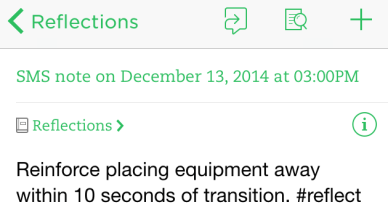
Evernote
to transfer every iMessage I send to IFTTT with #reflect directly to my reflection notebook. I find this to be a helpful tool when I am in the middle of teaching and quickly want to make a reflection about something that has occurred within class that I can improve on. I then access all of my reflection information at the end of the day in Evernote.
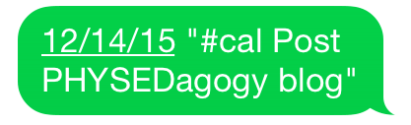 Lastly, I find that during my day important tasks may slip my mind. I found a recipe that allows me to iMessage events to specific days on my Google Calendar using the tag #cal. After the event has been put on my calendar, I then have another recipe set up that will send me a text on the day of event to remind me. This allows me to quickly add meetings and tasks to my calendar and then be reminded of them all without having to access my Google Calendar.
National Board #PhysED Discussion Panel Hangout

Hey everyone!
Below is a National Board Certification reflection from a physical educators perspective. Thanks to Jo Bailey, Matthew Bassett and Gina Miller for joining me and sharing their thoughts during this recorded on air hangout. Here is a link to the latest revisions to the National Board Certification. Let us know if you have any questions.
#NBCT #PhysEd Panel
Join us December 11th for a panel discussion on the National Board Certification process specifically for physical education teachers. The panel will be run through an “On Air Live Google Hangout”. Sign up and watch here. You can also access this conversation at your convience on the PHYSEDagogy YouTube channel. The panel will include Matthew Bassett, Gina Miller, Jo Bailey and myself. Read More


 PHYSEDAGOGY